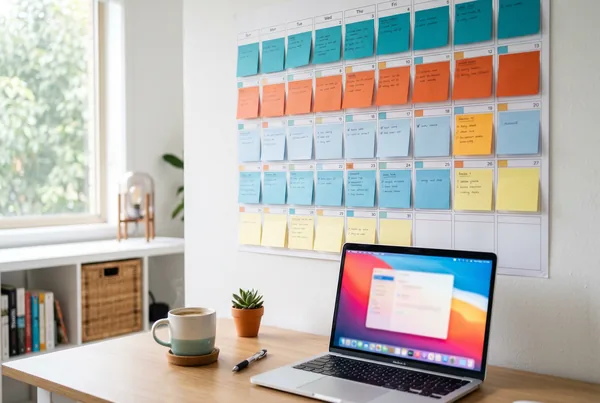

Good social media automation handles the repetitive work - drafting first versions of posts, creating images, scheduling across platforms, and pulling the reports - so you spend your limited time only on the parts that need a human. The rule is simple: automate the production, keep the judgement. Let software draft, design, and schedule; keep yourself in the loop for replies, sensitive moments, anything that touches money or people, and the final say on whether a post sounds like you. Cross that line - let a tool reply, react, or publish unchecked - and automation stops saving time and starts costing trust.
Key takeaways
- Automate production (first drafts, images, scheduling, reporting); keep humans for replies, judgement, and sensitive moments.
- A first draft is not a finished post. Automation gets you 80% of the way; the last 20% is where your voice lives.
- Never automate the inbox. Replies, complaints, and DMs are conversations, and conversations need a person.
- Automation backfires when it publishes unreviewed, posts during a crisis, or makes you sound like everyone else.
- The goal isn't a hands-off account. It's removing the busywork so the human attention you do spend lands where it matters.
What "automation" should actually mean
For a small business, social media automation has a bad reputation it half deserves. People picture an account on autopilot - generic posts firing off into the void, auto-replies that miss the point, a feed that feels like a robot wrote it. That version exists, and it's worth avoiding.
The useful version is narrower. Automation should remove the mechanical work that eats your week without needing your brain: turning a job into a draft post, building an image, putting it on the calendar, and telling you afterwards what worked. None of that requires judgement. All of it requires time you don't have.
That's the line. If a task is production - making the thing - it's a candidate for automation. If a task is judgement - deciding what's appropriate, responding to a real person, choosing your words in a tricky moment - it stays human.
What to automate
First drafts, not final posts
Writing a caption from a blank box is the slowest part of posting, and the least valuable use of your time. This is where automation earns its keep: feed it a photo of yesterday's job and a line about what you did, and it produces a draft in seconds.
The key word is draft. A generated caption gets you most of the way - the structure, the hook, the call to action - but it doesn't know the customer was a repeat client, or that the job ran late and you want to thank your apprentice. You add that. Ten seconds of editing on a draft beats ten minutes staring at an empty field.
Images and simple video
Designing a clean carousel, a before-and-after layout, or a short captioned clip used to mean either a design tool you half-understand or money you'd rather not spend. Automating image creation removes that friction entirely - the same job photo becomes a properly laid-out post without you opening Canva.
This is safe to automate because there's no judgement in it. You're not deciding what to say, just rendering it well. Review the result, make sure it looks like your business, and move on.
Scheduling across platforms
This is the highest-value thing to automate and the lowest-risk. Scheduling takes the work you've already approved and publishes it at the right time, on the right platforms, without you remembering to do it live. The failure mode of small-business social media is "I forgot to post"; scheduling removes that failure mode completely.
Once posts are drafted and approved, loading two or three weeks onto a calendar means the account keeps running while you run the business. Nothing publishes you haven't already seen - you're automating the timing, not the decision.
Reporting
Pulling numbers off four platforms and working out what actually moved is tedious and easy to skip. Automated analytics does it for you: which posts reached new people, which got saved or shared, which produced an enquiry. You get the answer without the spreadsheet.
Reporting is pure production - counting things you'd count anyway. Automate it fully, then spend your time on the only part that matters: deciding what to do more of.
What to keep human
The inbox, always
The single hardest rule: never automate replies. When someone comments, asks a question, or sends a DM, that's a conversation, and a conversation with a small business is half the reason people choose one. An auto-reply that misreads a complaint, or answers a buying question with a canned line, does more damage than no reply at all.
Notifications can be automated - tell me someone commented. The response stays yours.
Judgement calls and sensitive moments
Some posts shouldn't go out on a schedule. If there's a local tragedy, a public holiday with weight to it, a complaint going around, or anything in the news that touches your industry, a cheerful scheduled promo lands badly. A human needs to glance at the calendar and ask: is this still the right thing to post today?
This is why "set and forget" is the wrong model. Set and glance is right. The schedule runs, but someone is still minding it.
Your voice
Automation drafts in a competent, neutral tone - which is to say, the same tone as everyone else's automated drafts. The thing that makes a small business worth following is that it sounds like a person. Keeping the final edit human is what stops your feed from blending into the generic middle. It's a small amount of effort with an outsized effect on whether anyone remembers you.
Where automation backfires
Three patterns turn helpful automation into a liability:
- Publishing unreviewed. The most common mistake. A draft goes out untouched, with the wrong tone, a factual slip, or a placeholder no one caught. Always keep a human approval step before anything publishes.
- Posting through a crisis. A scheduled queue that runs blind during a sensitive moment makes you look tone-deaf. The fix is a person who can pause the calendar in thirty seconds.
- Sounding like a machine. If every post reads like it was generated and shipped, automation has eaten the personality that made the account worth following. Keep the human edit.
Notice the pattern: automation backfires precisely when it crosses from production into judgement. Keep the line clean and the failures don't happen.
A worked example
Say you run a mobile dog-grooming business. On Tuesday you do a transformation on a matted rescue dog - a genuinely good before-and-after.
Here's the split:
- Automated: the photos go into your media library; the tool drafts a caption, builds a before-and-after image, and produces a 15-second clip. Scheduling queues all three across Facebook and Instagram for the next week. Afterwards, the report tells you the before-and-after clip drove three booking enquiries.
- Human: you read the draft and add that the rescue is now up for adoption through a local shelter - the detail that makes the post land. The next morning a comment asks "do you do cats?" and you reply yourself, properly. When a follower DMs about their own anxious rescue, you have a real conversation that turns into a booking.
The automation did everything mechanical: drafting, designing, scheduling, counting. You did everything that needed a person: the human detail, the reply, the conversation. That's roughly fifteen minutes of your attention on a post that would otherwise have taken an hour - or not happened at all. For more on building this into a weekly habit, the rest of the blog has the by-industry playbooks.
The bottom line
Social media automation isn't a switch you flip to make the work disappear. It's a way of moving the busywork off your plate so the limited human attention you have lands where it actually counts. Automate the production - first drafts, images, scheduling, reporting. Keep the judgement - replies, sensitive moments, and the final word on whether a post sounds like you. MicroPromote is built around exactly that division: it creates, schedules, and reports, and it always leaves the judgement to you. Draw the line there and automation becomes what it should be - quiet, reliable, and invisible to the customer.
Want to see it run on your business? Book a demo or start now.