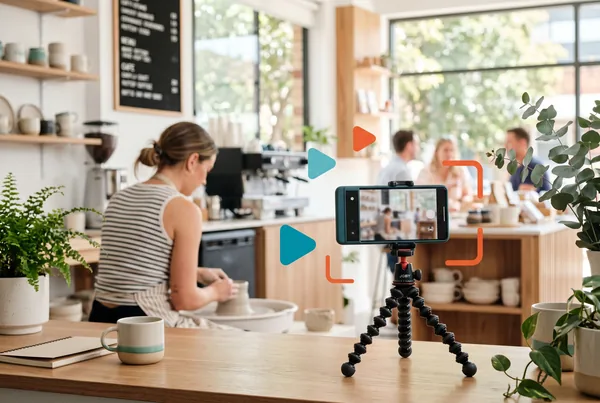
An AI video generator for social media takes the raw footage already sitting on your phone - a 20-second pan across a finished job, a few photos, a quick to-camera line - and turns it into a short, captioned promo in minutes. The AI does the fiddly parts: trimming the dead air, adding captions, generating a voiceover, and laying in background music. You keep the only part that matters, which is that it's genuinely your work. Done with restraint, this gives a small business the one format that consistently out-performs static posts, without a videographer, an editing suite, or a single weekend lost to timelines.
Key takeaways
- Short video out-performs static posts on almost every platform, and it's now the cheapest thing to make, not the most expensive.
- The raw material is already on your phone. The job is editing it, not shooting something new.
- AI handles trimming, captions, voiceover and music - the parts that used to need software skills and hours.
- Keep it authentic. Real footage with a tidy edit beats a slick, generic, over-produced clip every time.
- One job clip can become several videos across platforms. Capture once, edit once, schedule the lot.
Why video, and why now
For years, video was the format small businesses skipped. It needed a decent camera, editing software, and the patience to learn both. So most owners stuck to photos and text, and left the reach on the table.
That maths has flipped. An AI video generator for social media now does the work that used to take an afternoon in editing software, and it does it from footage you already have. The barrier was never ideas - every business films the odd clip. The barrier was the edit. That barrier is gone.
The payoff is reach. A short clip that shows real work holds attention longer than a photo, and the platforms reward that with distribution. For a local trade, clinic, café, or service business, that's the difference between a post your existing followers see and a post that reaches someone who's never heard of you.
What AI actually does to a clip
It helps to be specific about what "AI video" means here, because the phrase covers everything from a tidy auto-edit to a fully synthetic, AI-generated scene. For a small business, the useful end is the former, not the latter.
Trimming and tidying
Raw phone footage is mostly waste - the first few seconds while you steady the phone, the last few while you reach to stop recording. AI trims to the usable middle, evens out the pacing, and stitches photos and clips into a sequence that flows. You get a clean cut without scrubbing a timeline frame by frame.
Captions
Most people watch with the sound off. Captions aren't optional any more - they're how the majority of viewers consume the clip. AI transcribes your voiceover or to-camera line and burns in captions automatically, which used to be one of the most tedious manual jobs in video.
Voiceover
This is where AI earns its keep for owners who don't want to be on camera. You write two or three lines about the job; the AI generates a natural-sounding voiceover to narrate the footage. No recording your own voice, no awkward retakes. In MicroPromote you can produce that voiceover directly from the clip and script in one step.
Music
A bed of background music lifts a clip from "phone footage" to "promo" more than people expect. AI picks a track that suits the pace and keeps it under the voiceover so it never competes. Small touch, real difference.
Keep it authentic, not over-produced
Here's the trap. The moment editing becomes easy, the temptation is to over-do it - stock transitions, dramatic music, a voiceover that sounds like an insurance ad. Resist it. The whole reason video works for a small business is that it looks real. The customer is asking one question: can these people do the job I need? Polished-but-generic actively works against that. It reads as an ad, and people skip ads.
The right level is: real footage of real work, trimmed so it's not boring, captioned so it's watchable on mute, with a calm voiceover and quiet music. That's it. The goal is "tidy and clear", not "broadcast-grade". Authenticity is the asset; don't edit it out.
A simple test: would the clip still feel like your business if you stripped the music and captions off it? If yes, you've got the balance right. If it only works because of the production, you've gone too far.
A worked example: one job, three videos
Say you run a mobile detailing business. On Saturday you finish a full interior-and-exterior detail on a four-wheel drive that came in filthy. Before you start, you film 15 seconds of the state it's in. When you're done, you film a slow 20-second pan around the finished car. Two clips, both on your phone, total filming time under a minute.
That afternoon, that one job becomes:
- A before-and-after short. The AI stitches the "before" and "after" clips, trims them, adds captions ("Came in like this… left like this"), generates a voiceover with two lines on what the detail involved, and lays in light music. Posted to Instagram and Facebook.
- A "what's included" clip. The same finished-car footage, recut with a voiceover listing what a full detail covers. Useful for anyone deciding whether to book. Posted a few days later.
- A quick tip video. A 10-second cut with one line - "this is why you don't use dish soap on paint" - tied to something you noticed on the job. Posted the following week.
One job, under a minute of filming, three videos across two platforms spread over a fortnight. The footage lives in your media Library once, the AI does each edit, and you schedule all three at the same sitting. That's the multiplier - and it's the same loop we cover in the blog for static posts, just applied to video.
Fitting it into a routine you'll actually keep
The system is the same one that works for any small-business content: capture as you go, batch the editing, schedule ahead.
- Film a little, often. Get into the habit of a 15-second clip on every decent job. No setup, no narration - just capture. The phone in your pocket is the camera.
- Batch once a fortnight. Sit down for half an hour. Pick the two or three jobs worth a video.
- Let the AI edit. Feed each clip in, write your couple of lines, let it trim, caption, voice and score. Review, tweak, done.
- Schedule across platforms. Drop the finished videos onto the calendar so they publish without you having to remember.
The reason to batch is the same reason it works for everything else: doing it live is the failure mode. The week you're flat out is the week you don't post, and momentum dies. Editing and scheduling a fortnight ahead protects you from your own busy weeks. You can pair this with the broader AI content workflow so your video, captions and images all come out of the same sitting rather than three separate scrambles.
The bottom line
AI video has quietly removed the one real reason small businesses avoided the highest-reach format on social media. The footage is already on your phone; the AI handles the trimming, captions, voiceover and music that used to need skills and hours. The only discipline that matters is restraint - keep it real, keep it tidy, and don't let easy editing tip you into a glossy ad nobody watches. Capture as you work, batch the edits, schedule ahead, and one good job can carry your social media for a fortnight.
Want to see it run on your business? Book a demo or start now.